
Help & Support

How to make sure YouTube videos are visible on Last Minute Musicians

/ Help for members / How to make sure YouTube videos are visible on Last Minute Musicians

On YouTube, if your video is not public or you have "allow embedding" disabled, your video on Last Minute Musicians will show as unavailable. Users who are not logged in to your YouTube account will see this:
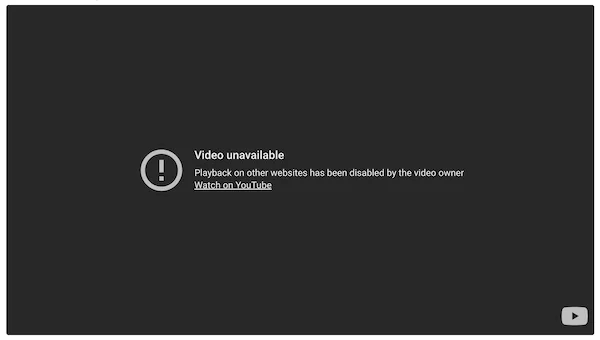
YouTube player showing "Video unavailable - playback on other websites has been disabled by the video owner"

How to allow embedding of your YouTube video - step by step

1. Sign in to YouTube Studio.

2. From the left menu, select Content.

3. Make sure the visibility of your video is set to "Public":
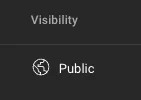
The visibility column in YouTube Studio set to Public

4. Click on the Title of your video to see the video details.

5. Click the Show more button near the bottom - see example below:
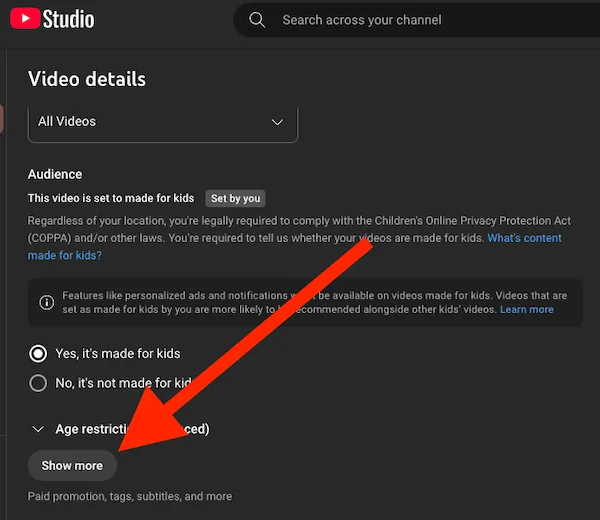
The Show more button at the bottom of the YouTube video details page

6. Check the box next to “Allow embedding” and remember to click SAVE (top right).
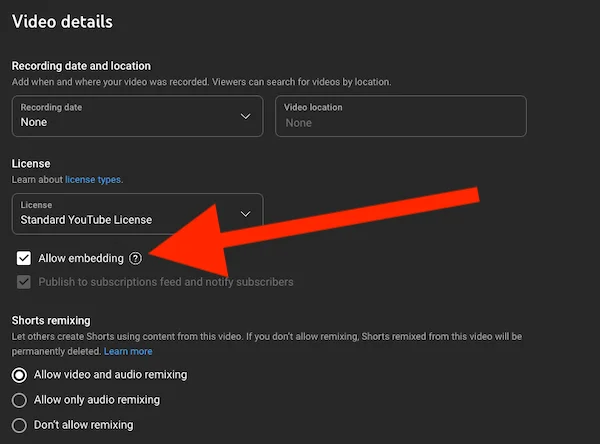
The Allow embedding checkbox in the YouTube video details page

If you need any further help with this please get in touch.

Can't find what you're looking for?

We're here to help
Contact us

Chat support

Talk to a real person - we're happy to help with any question.
Chat with us
The chat conversation may be recorded for training and quality purposes - see our privacy policy.
View Favourites